Brook Pocket Auto Catch Light review
The most practical everyday catcher I have used. It disappears onto your keyring, runs two accounts at once with no trade-off, and after five months of rain, sun and travel it has never once failed on me.
Brook sent this unit free of charge for review, and to their credit they asked for an honest one, which is the only kind I would have written. They saw no draft and had no input on the score. Worth knowing too: I had already bought one of these with my own money months before Brook got in touch, and that is still the one on my keys. There is no affiliate link on this page. If that ever changes, this box changes with it.
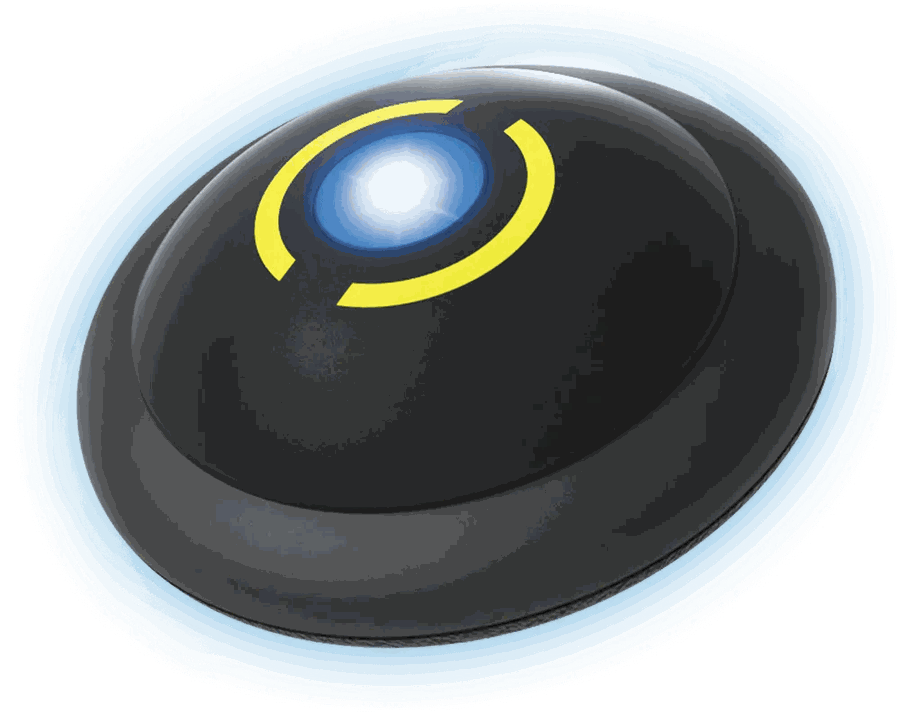
The most practical everyday catcher I have used. It disappears onto your keyring, runs two accounts at once with no trade-off, and after five months of rain, sun and travel it has never once failed on me.
A ten because it does the job an auto-catcher exists to do better than anything else I have carried, and it has never let me down doing it. The two things below, a finish that wears and an hourly reconnect the game imposes on every device of this type, are worth knowing before you buy, and neither one changed my mind.
- ✓You want catching and stop-spinning to happen while your phone is in your pocket.
- ✓You run two accounts and are tired of carrying two catchers.
- ✓You want something that lives on your keyring and that you stop noticing.
- –You want it to throw Great or Ultra balls. This one throws regular balls only.
- –Even a two-tap reconnect once an hour would bother you.
- –You need the device to look pristine after a year. The printed ring wears off.
How this was tested
Five months on the same keyring, across everything an ordinary year throws at a device you carry.
- ·Average balls thrown per catch. I never counted, so I am not going to publish a number that looks precise and is not.
- ·Catch rate against a control run without the device.
- ·Battery life measured to the minute. I charge it when I remember to, and it has never died on me mid-walk.
Five months in
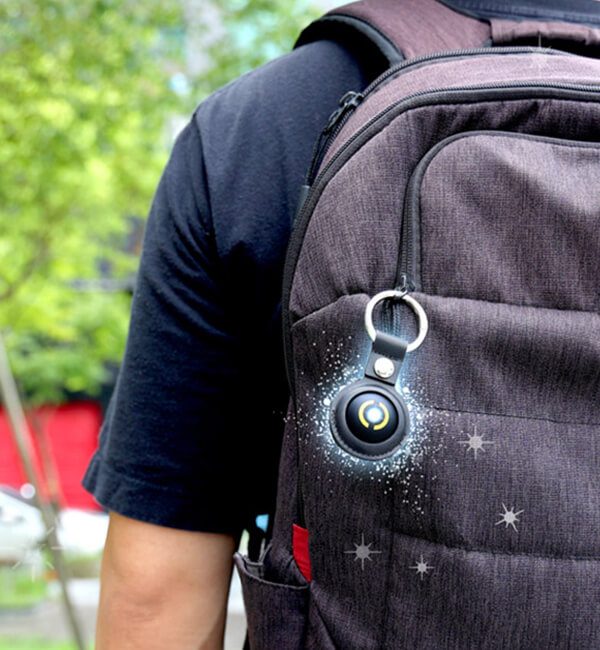
An auto-catcher earns its place by being boring. It should sit on your keys, do its job while your phone is away, and never ask you for anything. That is the whole brief, and after five months the Pocket Auto Catch Light is the first one I have carried that actually meets it.
The headline feature is dual accounts: two phones, two accounts, one device, both catching at the same time. I expected a trade-off of some kind: halved throughput, alternating turns, something. There is none that I can see. Both phones catch and spin as if each had its own catcher.
The rest of this page is the detail: how to pair both accounts, what the light is telling you, what it will not do, and the hourly reconnect that every device in this category lives with. None of it changed my mind about carrying it every day.
What you actually get
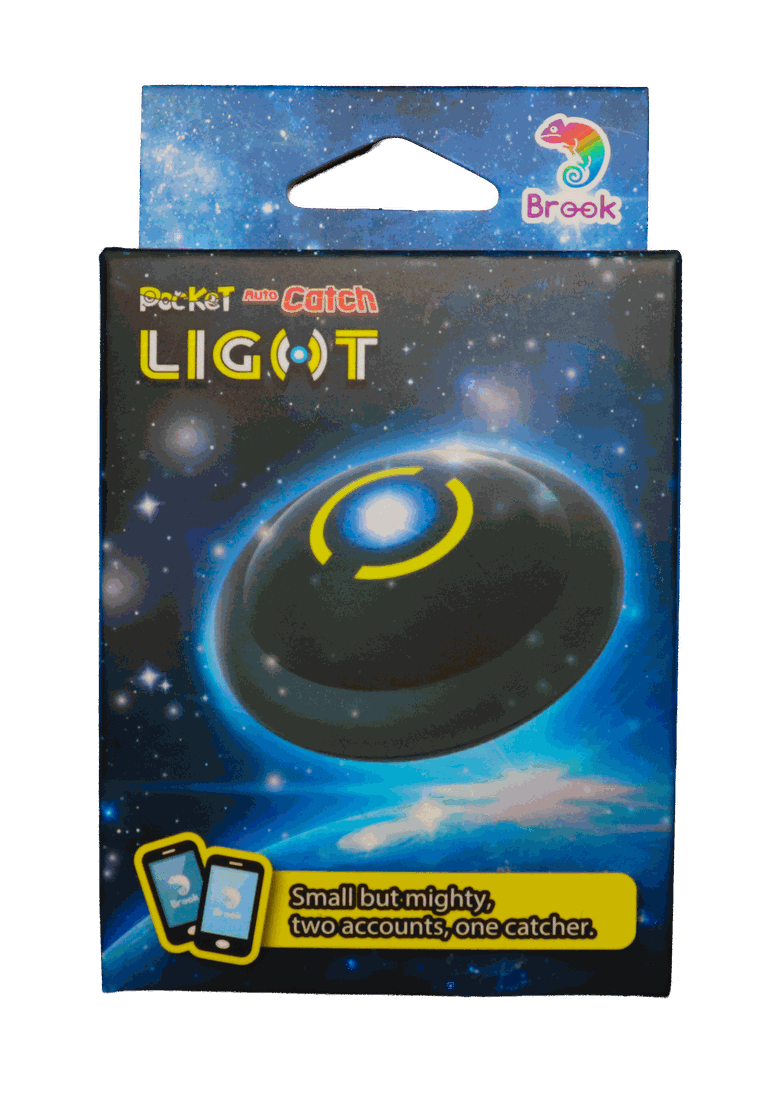
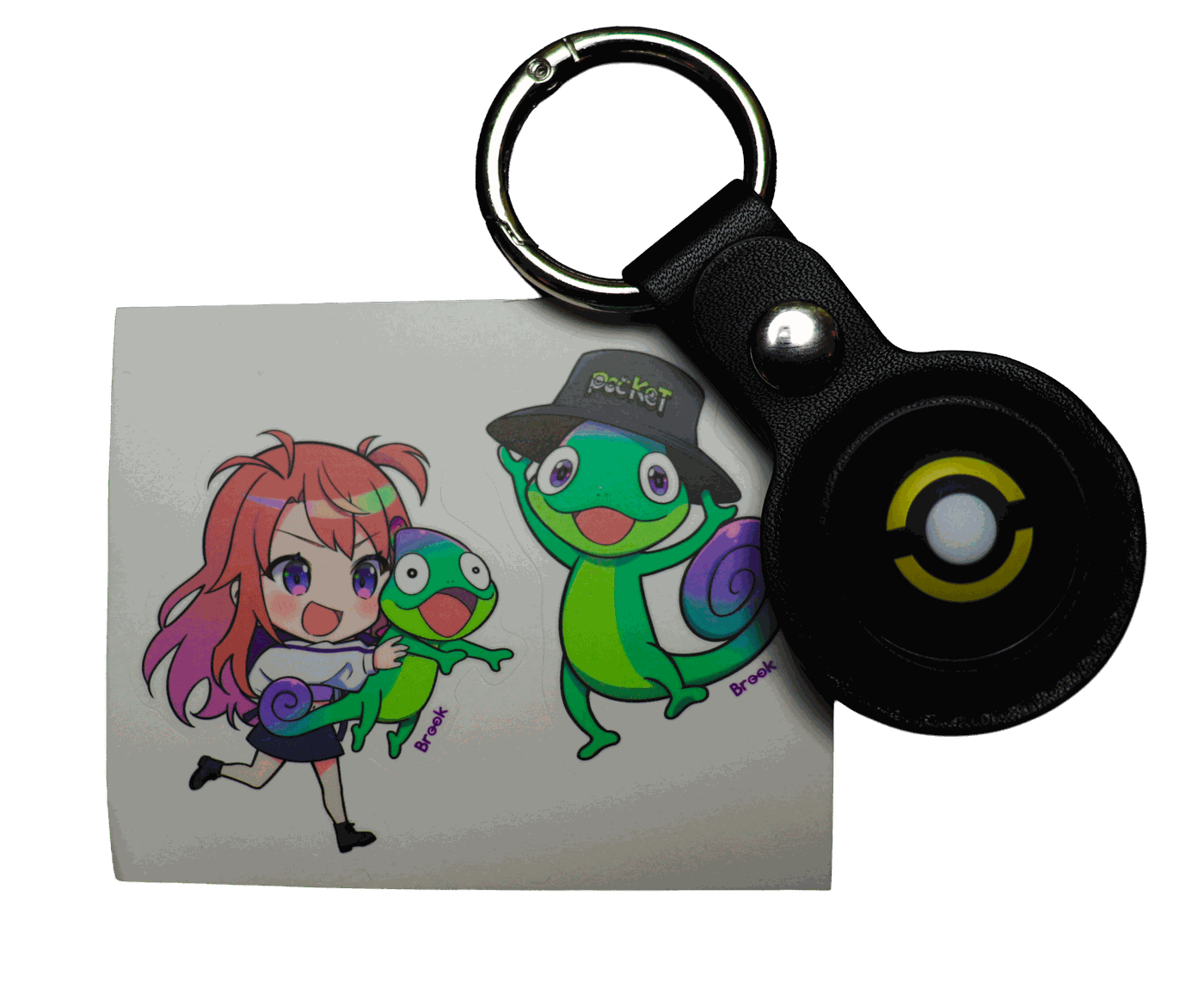
What daily carry does to it
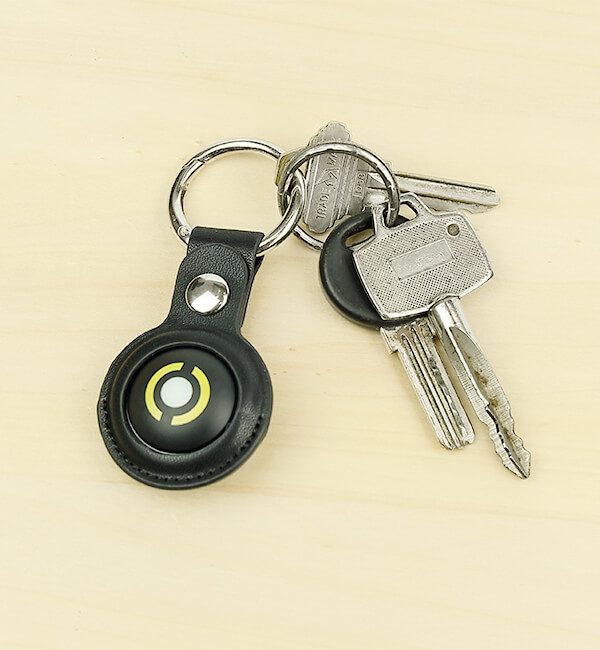
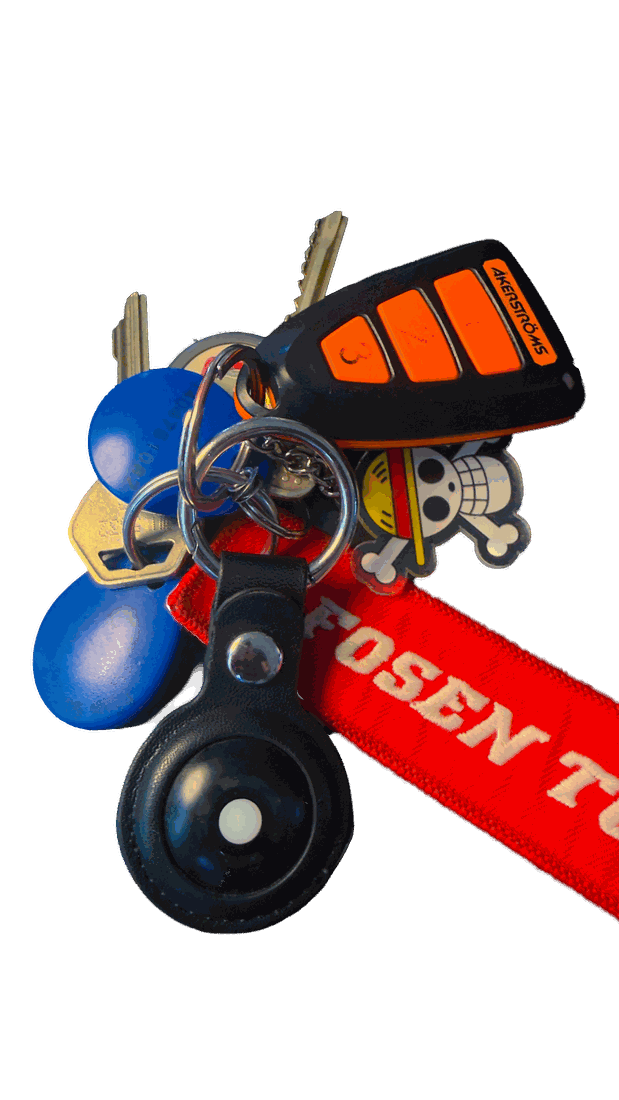
I include this because it is the honest answer to "how does it hold up", and because it is the only thing five months of rain, sun and travel managed to do to it. The button still presses, the light still lights, the battery still lasts days. It just looks like something that gets used.
Pairing it, and pairing the second account
- 1Charge it over USB-C. You can use it while it charges, so the first catch can happen within about a minute of opening the box.
- 2In the game, open Settings, then Connected Devices and Services, then Accessory Devices. It is the same place the official accessory pairs.
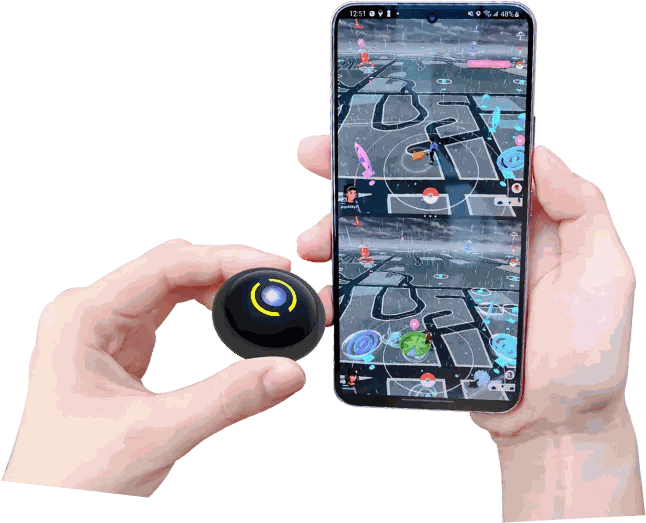
- 3Press the button on the side with the yellow ring. That is the 1P button. The device shows up in the list; tap it to connect account one.
- 4For the second account, open the game on the second phone and go to the same settings screen.
- 5Press the button on the side without the ring, the 2P button, and connect account two the same way. Both phones now show Connected.
- 6Both phones have to stay within Bluetooth range of the device, roughly 10 metres in the open and less through a bag.
What it does, and what it refuses to do
| ✓Does it catch shinies? | Yes. It throws at whatever it is allowed to throw at, and shinies are caught like anything else. You find them afterwards in your storage, which is half the fun of walking with it. |
|---|---|
| ✓Does it keep trying when a mon breaks out? | Yes. It keeps throwing until the mon is caught or it flees. It is not a single-throw-and-move-on device. |
| –Which balls does it use? | Regular balls only. It will not reach for Great or Ultra balls. |
| –Does it use berries? | No. |
| –Can it catch and spin at the same time? | No, one action at a time. While it is working through a catch it is not spinning a stop, and while it spins it is not catching. |
| ·What happens when your bag is full? | It stops spinning stops until you clear space. |
| ·What happens when mons storage is full? | It stops catching until you clear space. |
| ✓Can you choose what it catches? | Yes, in Brook’s Pocket Center app. You can turn catching of already-caught species on or off separately from new species, and turn stop-spinning on or off. |
| ✓Does it survive the screen turning off or app-switching? | Yes. It kept working through a locked screen and switching apps in my testing. It does not catch during a raid, because the game is not offering encounters then. |
| ·Can you run two of them on one account? | No, and there would be no point, because the game allows one accessory per account. Two accounts, one device is the trick here. |
What the light is telling you
| Colour | Meaning |
|---|---|
| Green | Waiting for a Bluetooth connection |
| Purple | Connected successfully |
| Yellow | A new mon was found nearby |
| Red | The mon got away, or you are out of balls |
| White | Waiting, or your bag is full |
| Cycling colours | A catch landed or items were collected |
Taken from Brook’s product page. The printed manual in the box words a couple of these differently, putting "new mon found" on green and "bag full" on yellow, so if your unit behaves like the manual rather than this table, that is why. We have asked Brook which version is current and will update the table with their answer.
The three switches that matter
Throw at species you have already registered. Turn this off if you only care about new entries and want to save balls.
Throw at species you have not caught before.
Spin stops for items as you pass them.
Turning off catching for species you already have is the setting most people should touch first. It is the difference between coming home with a bag full of balls and coming home with none.
It reconnects about once an hour
Roughly every hour the device drops off. I am putting this in the middle of the review rather than burying it at the bottom, because you should know about it before you buy. But it is a smaller thing than it sounds, and I want to be equally clear about that.
Getting it back is two taps and you never leave the map: press the button on the device, then tap the ball icon in the top-right corner of the game screen. That is it. No settings menu, no re-pairing, no Bluetooth screen. Once you have done it twice it stops being something you think about.
It is worth being precise about where the limit comes from, too: the game caps how long an accessory session lasts, and every catcher lives under that same cap, official ones included. Brook documents the behaviour openly rather than leaving you to discover it, which I appreciate. Their Pocket Center app can also reconnect for you, though at the time of writing that is Android-only, so on iPhone it stays those two taps.
What I love, and what to know going in
- ✓Genuinely pocket-sized at 32 mm and 10 g. On a keyring it reads as one more key, not as gaming hardware.
- ✓Two accounts at the same time, with no slowdown on either. Two phones, both catching, both spinning.
- ✓Survived five months of daily carry including rain, travel and full sun without a single failure or bug.
- ✓Charges over USB-C in about an hour and then lasts days, so charging never becomes a ritual.
- ✓It catches while you are not looking, shinies included. Checking your storage after a drive is genuinely fun.
- –The printed yellow ring wears off the shell with use, and the leather case picks up scuffs. Mine has clearly been carried; see the photo below. It has cost the device nothing but its looks.
- –It drops the connection roughly every hour. Reconnecting is two taps: press the button on the device, then tap the ball icon in the top-right corner of the game screen. It is still a habit you pick up. The cap comes from the game and applies to every accessory, official ones included, rather than being anything Brook chose.
- –Regular balls only, and no berries. If you want the device reaching for Great or Ultra balls, that is the one thing the official GO Plus + does and this does not.
- –It works through one thing at a time. While it is catching it is not spinning, and the other way round. In motion you barely notice.
How it compares
| Device | Auto catch | Auto spin | Accounts | Balls | Notes |
|---|---|---|---|---|---|
| Brook Pocket Auto Catch Light | Yes | Yes | Two at once | Regular only | 32 mm, 10 g, USB-C. The one reviewed here. |
| GO Plus + | Yes | Yes | One | Regular, Great or Ultra | The official device. Bigger, and it doubles as a sleep tracker. Better ball control, no dual account. |
| The original GO Plus | No, button press | No, button press | One | Regular only | The first-generation accessory. Every catch and every spin is a manual press. |
| Wristband-style catchers | Yes | Yes | One | Regular only | Screen and strap on your wrist. Cheaper, more visible, and one more thing to charge. |
The short version of that table: if you only run one account and you want control over which balls get thrown, the official GO Plus + is the better tool. If you run two accounts, or you want the thing to vanish onto your keyring, nothing else here comes close.
Walk with it, then sweep your box
An auto-catcher fills your storage while you are not paying attention. That is the point of it, and it is also the problem it hands you. After a good walk you have two hundred mons you never looked at, and somewhere in that pile there may be a hundo, a functional hundo, or a shiny you did not notice being caught.
This is genuinely how I use the two together: carry the catcher, and then sweep the box with Hundo Hunter afterwards. The scanner reads your storage and flags what is worth keeping, including the near-perfect spreads that perform identically to a true 100% and are the ones people transfer by accident.
The numbers
Specifications from Brook’s product page. Everything else on this page is from using it.
Questions people actually ask
Does the Brook Pocket Auto Catch Light catch shinies?
Yes. It throws at everything it is set to throw at, and a shiny is caught the same as anything else. You will not see the sparkle in the moment. You find them when you go through your storage afterwards, which is one of the nicer things about walking with it.
Can it really run two accounts at the same time?
Yes, and this is the reason to buy it. Two phones, one device, both accounts connected and catching simultaneously. In five months of use I could not detect either account being slower or catching less because the other one was connected.
Why does it disconnect every hour?
The game limits how long an accessory stays connected, so every device in this category drops off after about an hour, official accessories included. It is not a fault in the device. Getting it back is quicker than people expect: press the button on the device, tap the ball icon in the top-right corner of the game screen, and you are catching again. No digging through settings menus.
Does it use Great balls or Ultra balls?
No. It throws regular balls only, and it does not use berries. If you want the device to reach for better balls, the official GO Plus + can do that and this one cannot.
Does it spin stops and catch mons at the same time?
No. It does one thing at a time. In practice this matters less than it sounds, because it works through both quickly as you move.
How long does the battery last?
Brook quotes about five days with a few hours of use per day and both accounts connected, and that matches my experience. I go several days between charges without thinking about it. A full charge over USB-C takes about an hour, and you can keep using it while it charges.
Is it safe to use a third-party catcher?
My own experience is five months of daily use across two accounts with no problems at all, and third-party catchers have been a normal part of how people play for years. The one thing to be clear about is that the game formally sanctions only officially licensed accessories, so this sits outside that. I have seen nothing to suggest it causes trouble in practice, and I would not carry it daily if I thought otherwise. But I would rather tell you where the line is than pretend it is not there.
Can you put it in a different case?
Yes, and this is a nicer detail than it sounds. It is almost exactly AirTag-sized, so it drops into AirTag holders as long as the holder is open on both sides. The buttons are on the faces, so a closed-back case would trap them. The leather one in the box is good, but if you want it in silicone, or in a colour, you have the whole AirTag accessory aisle to choose from.
Does it work with iPhone?
Yes, on both iOS and Android. I have used it on iPhone throughout. One thing to know: Brook’s auto-reconnect feature in the Pocket Center app is Android-only at the time of writing, so on iPhone the hourly reconnect stays manual. That means pressing the button on the device and tapping the ball icon in the top-right corner of the game screen, which takes a couple of seconds.
Reviewed by Adrian Pettersen · published 7 September 2026